
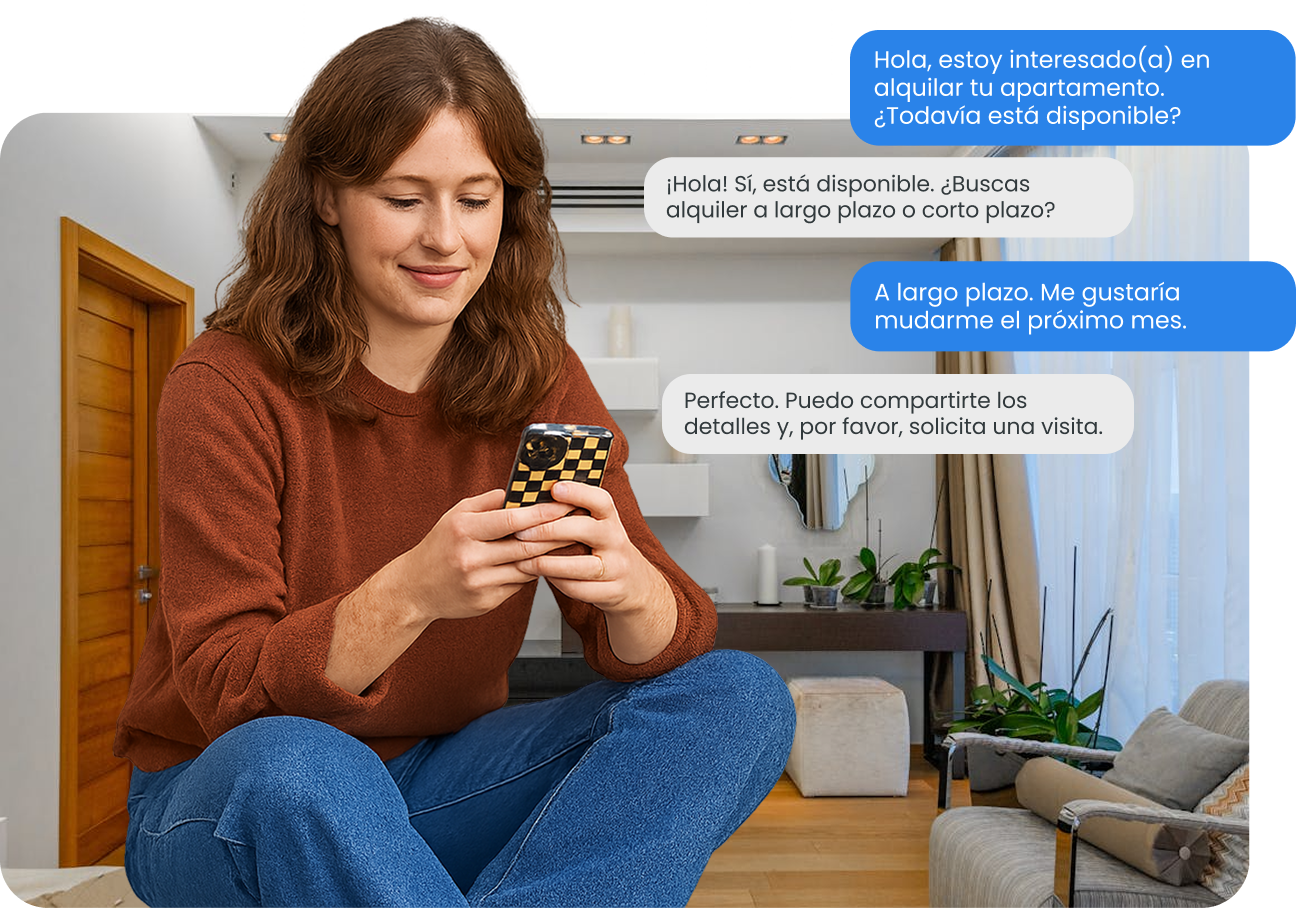
Tools to search, compare and manage properties
Chozi is designed to help you discover properties and connect directly with trusted agents. Every tool is built to make your search simple, modern, and effortless.
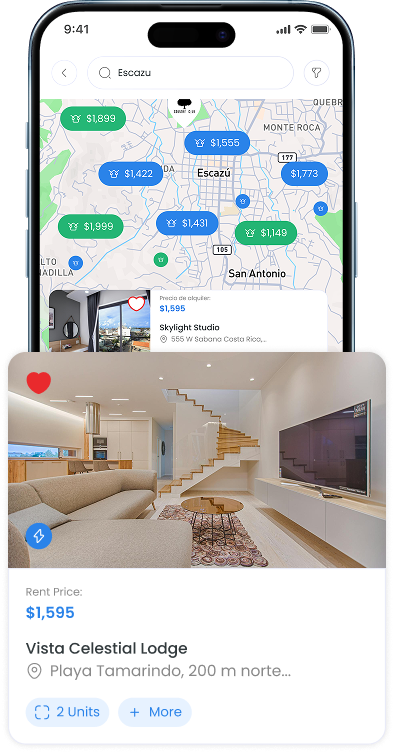
Interactive Map
Your property radar — the fastest way to explore listings in real time. Zoom into your favorite neighborhoods, apply filters, and click on pins to see details instantly. Whether you’re searching for your next home or your next investment, the map updates live so every property you see is fresh. With just a few clicks, you can go from browsing to booking a tour.
01
Click “Interactive Map” in the menu
02
Use the filter sidebar (price, beds/baths, type, amenities)
03
Hover over pins for quick previews
04
Click a pin to open the property card, then “View More” for full details
05
Book a tour or message the property representative directly from the listing
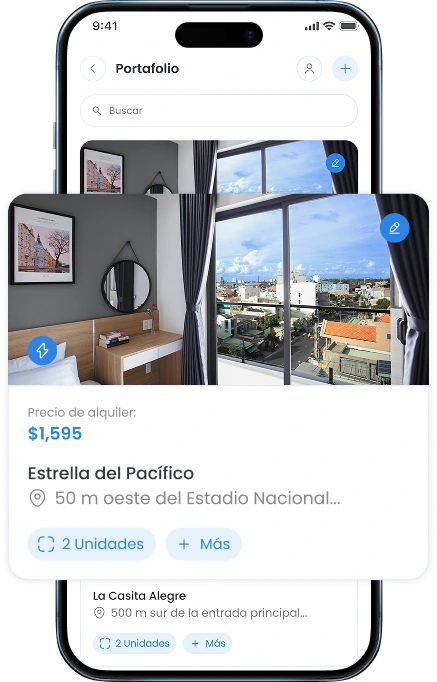
Portfolio Management
Your personal control center for every property you’ve listed, with real-time performance data like views, likes, and inquiries. Need to adjust a price or upload new photos? It’s all just a click away.
01
Open “Portfolio Management” from the menu
02
Browse your listings in table or grid view
03
Click “Edit” to update details
04
Review performance insights
05
Hide or remove properties as needed
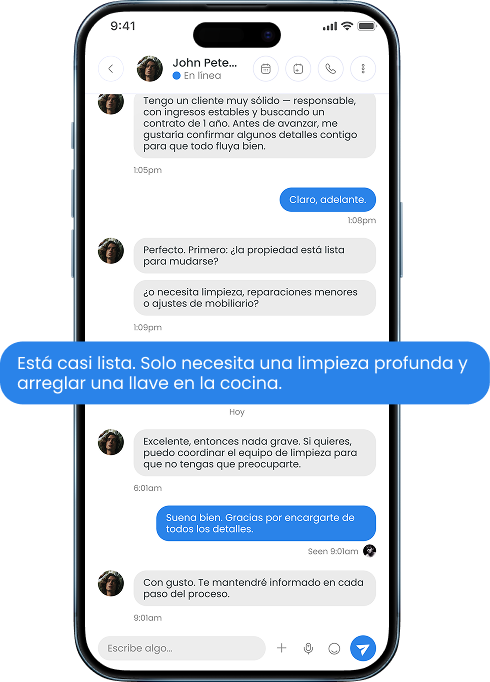
Message Board
Keeps all your property conversations organized in one place, with separate threads for each listing. Share updates, send documents, and keep a full history of communications.
01
Open “Message Board”
02
Select a conversation grouped by property
03
Type your message and attach files if needed
04
Use the search bar to find past messages
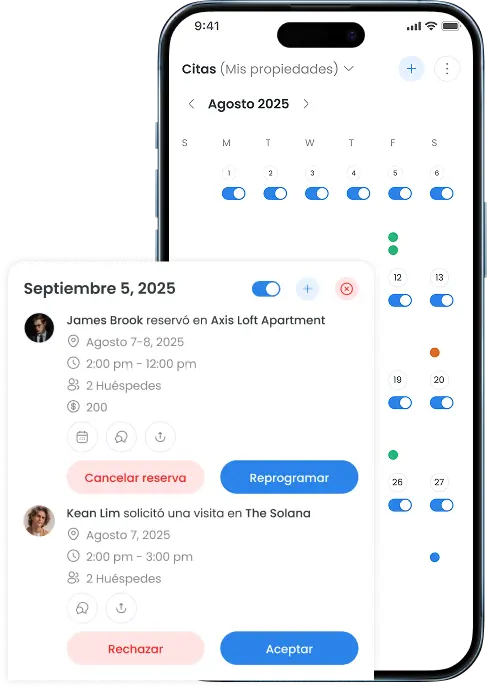
Appointment Calendar
View all your showings, meetings, and closings in one place. Link it to Google Calendar for reminders on the go.
01
Open “Appointment Calendar”
02
Choose day, week, or month view
03
Click “New Appointment” to add details and invite attendees
04
Edit or reschedule appointments with one click
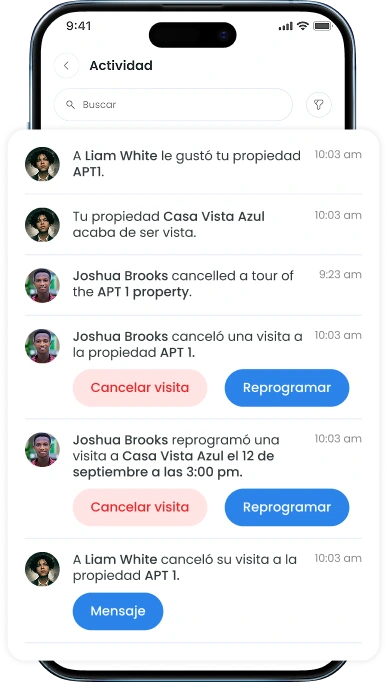
Notification
Notifications keep you informed about what matters, right when it happens. From new listings and price updates to messages and appointment activity, everything important shows up in one place.
01
Open “Notification”
02
View notification and filter it by categories.