

Real estate agent tools and profile on Chozi
Gain full access to Chozi’s professional tools — manage unlimited listings, connect directly with clients through private messaging, schedule appointments, and track performance with insights like views, saves, and engagement.
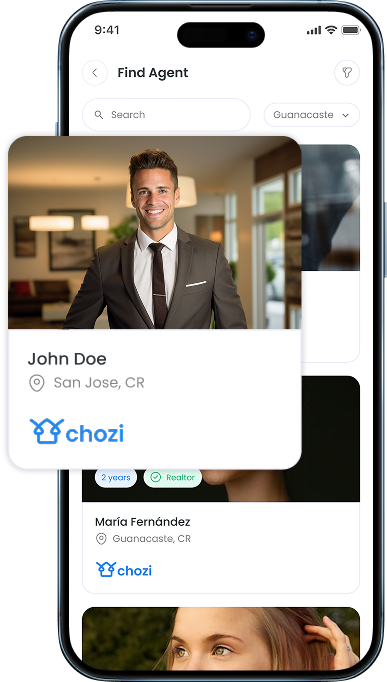
Find an Agent
Find an Agent helps users discover and connect with real estate professionals in a clear, transparent way. Instead of guessing who to contact, users can browse active agents and choose based on real information and market presence.
01
Go to to your Dashboard Page
02
Select “Agents” from the Tab Menu
03
Find and connect with Real Estate Professionals
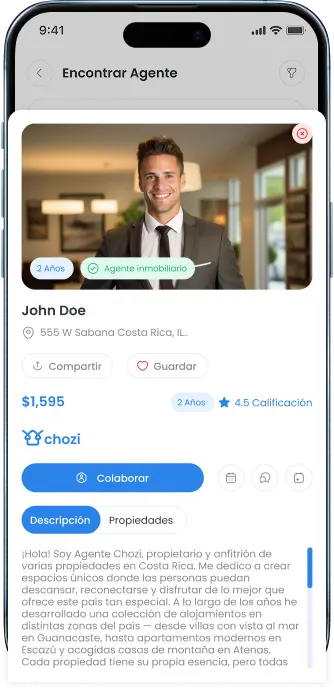
Agent Profile
The Agent Landing Page is the agent’s complete public profile on Chozi. It’s designed to give visitors a clear, professional view of who the agent is, how they work, and what properties they represent — all in one place.
01
Go to “Find an Agent”.
02
Explore agents and click their profile
03
View their description, background, and experience.
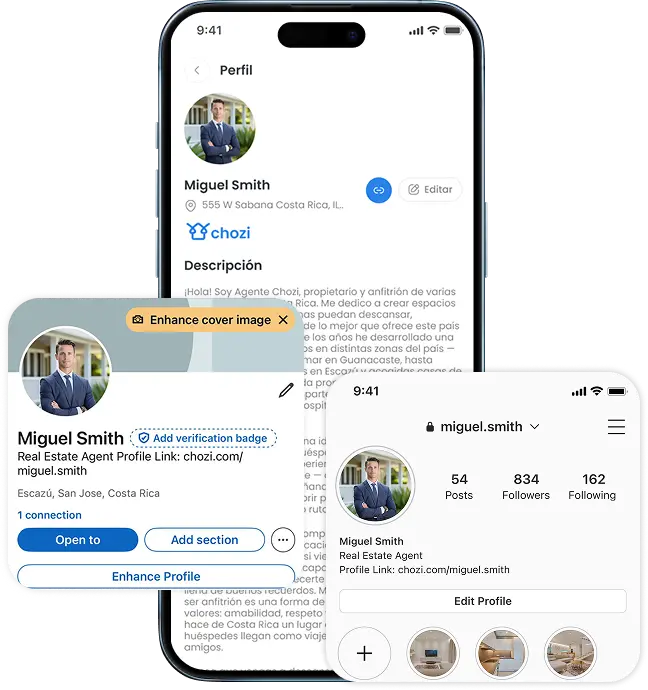
Agent Link
The Agent Link allows agents to easily share their professional presence without needing a personal website. It’s a simple, direct way to show who they are and what they’re actively working on.
01
Go to your “Profile”.
02
Click “Copy Link”.
03
Send your link to your social media or paste in on your bio.
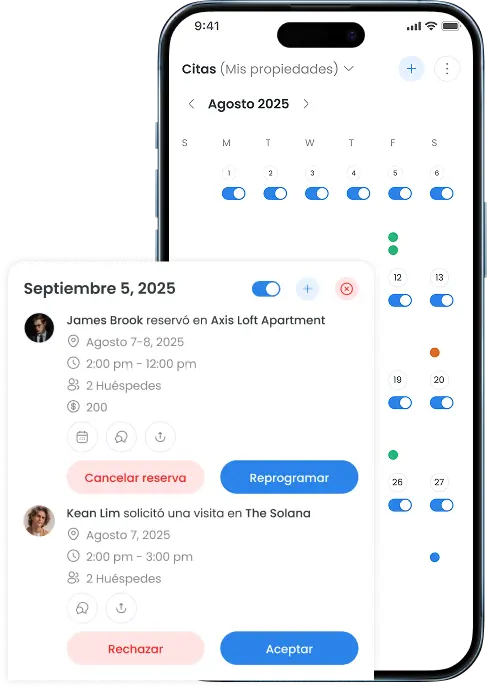
Tours and Calendars
Tours and Calendars bring all tour requests and availability into a single, organized workspace. Agents receive requests directly from clients or owners, manage them through a centralized calendar, and coordinate showings across multiple properties with clarity and control.
01
Open “Appointments” on the menu
02
View your appointments on the calendar.
03
Open the Tour Requests pop-up to review each request and either accept or decline the tour based on your availability.
Collaboration & Agent Requests
Collaboration and Agent Requests give owners and agents a clear way to connect and work together on Chozi. Owners can request agents to represent their properties, and agents can request to represent listings they discover — all through a transparent, two-way request flow.
Once a request is sent or accepted, built-in messaging keeps communication organized in one place, making coordination straightforward and professional from first contact to active collaboration.
01
Open “Find Agents”
02
Connect with agents
03
View “Pending” to accept and reject agents.